
Function
Define the directions of the supports for a display purpose on screen.
Call
From the Main Menu select [Boundary] tab > [Advanced] group > [Define Label Dir]
Input
Options
Add/Replace : Enter or replace a local coordinate system for selected nodes
Delete : Delete previously entered node's local coordinate system for selected nodes
Label Direction
Define the direction of the label of the support.
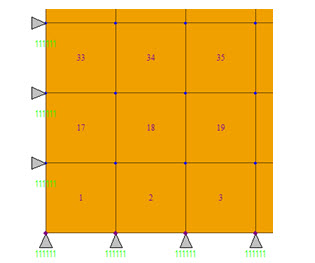
For example, a set-up such that local z(+) is defined for the bottom supports and local x(+) is defined for the left supports will display on screen as below.
Note
View > Display > Boundary Tab, the display of the directions of supports can be controlled by checking on and off.